Beyond a simple DICOM viewer.
An advanced viewer with post-processing: curved MPR (CPR), 3D reconstruction and a dental package, on your own computer.
For Windows 10 and 11. Reviewing CBCT? See Dental
Follow the anatomy, not the slice.
Place points along a vessel or the spine. RadSpection straightens the whole path into one image you can scroll through and measure along.
The anatomy decides the plane, so a winding vessel becomes one flat, measurable view.
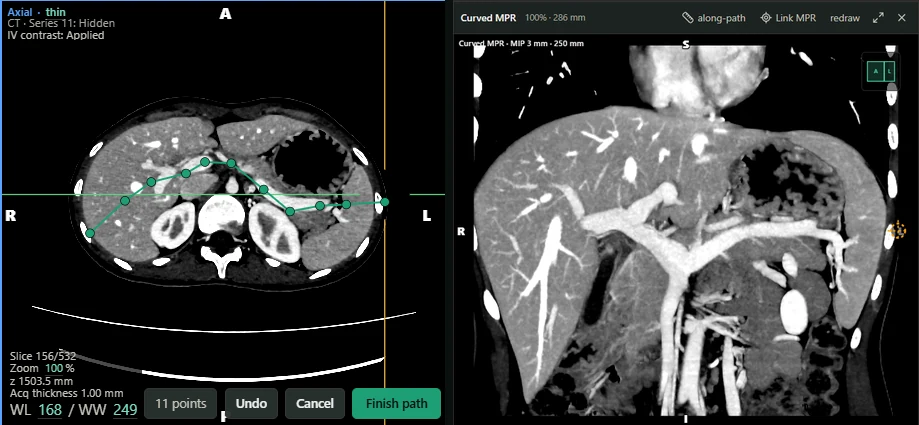
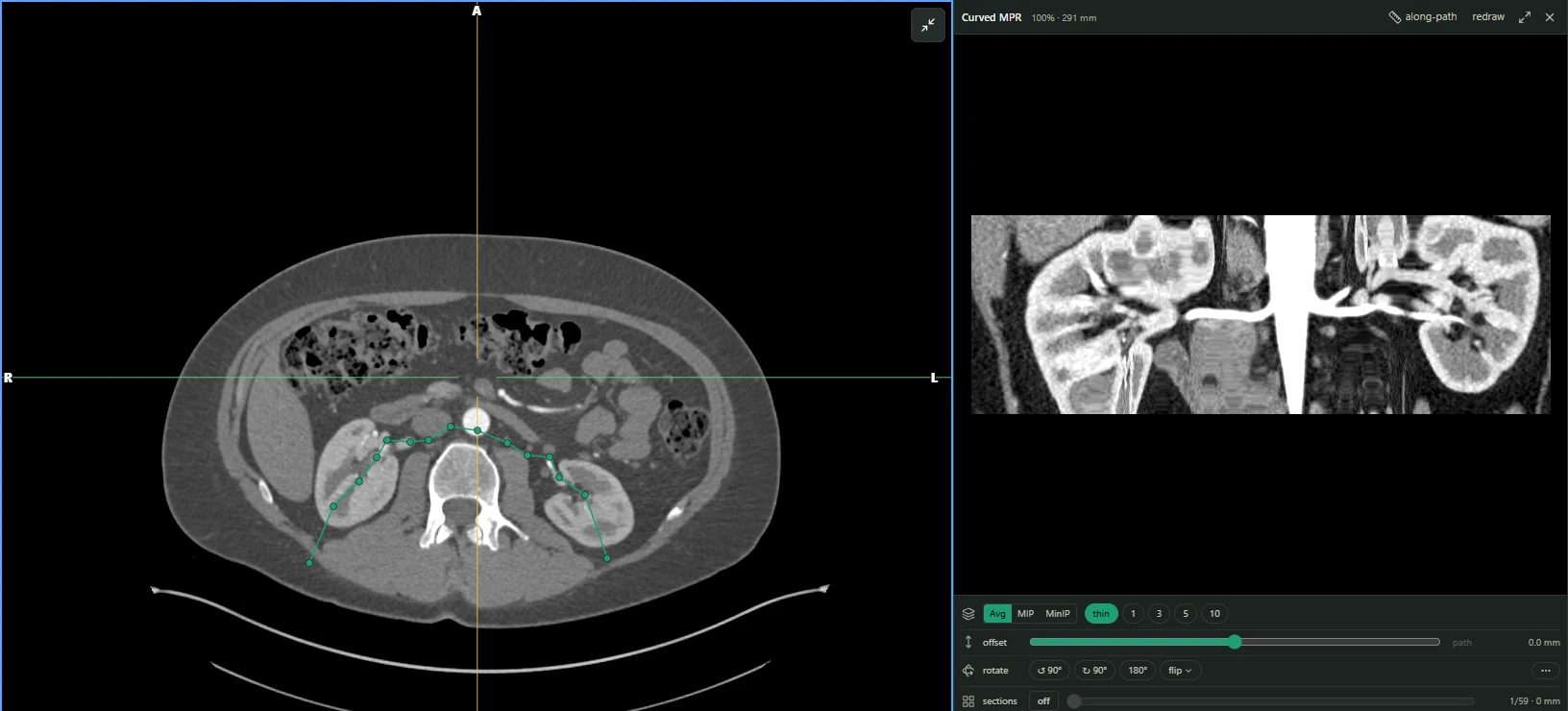
Both renal arteries, kidney to kidney through the aorta, in one straightened image.
Trace the path
Place points along a vessel or the spine on any plane.
Measure along it
Measure distances along the curve itself, not across it.
Edit it anywhere
Drag a point or add one, and the straightened view follows.
For professional image review, not for primary diagnostic interpretation. RadSpection has not been cleared or certified as a medical device.
Every plane, including oblique.
Axial, coronal and sagittal views linked by crosshairs. Tilt a plane when the anatomy isn't aligned with the scan.
Thick slabs show maximum, minimum or average intensity at the thickness you choose.
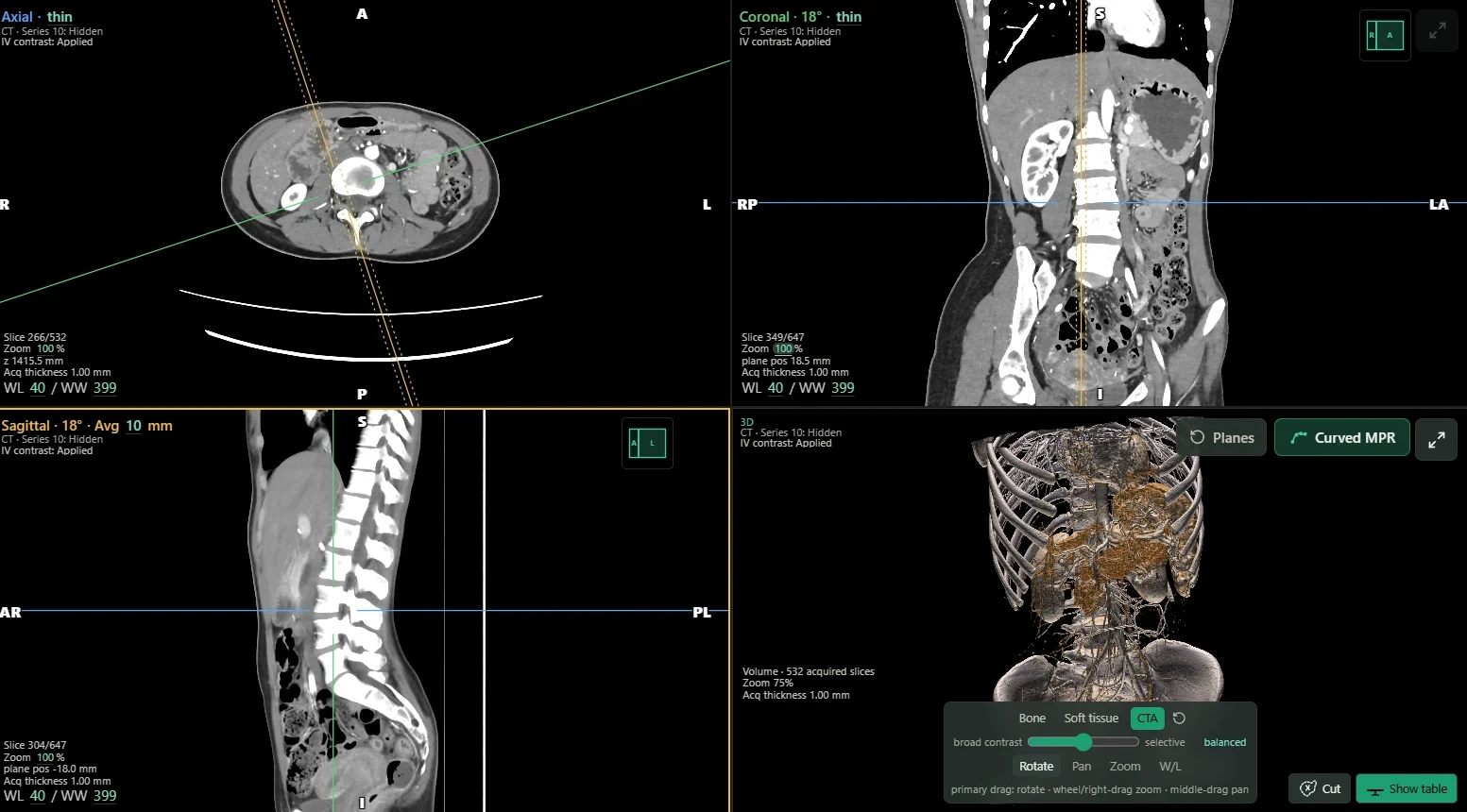
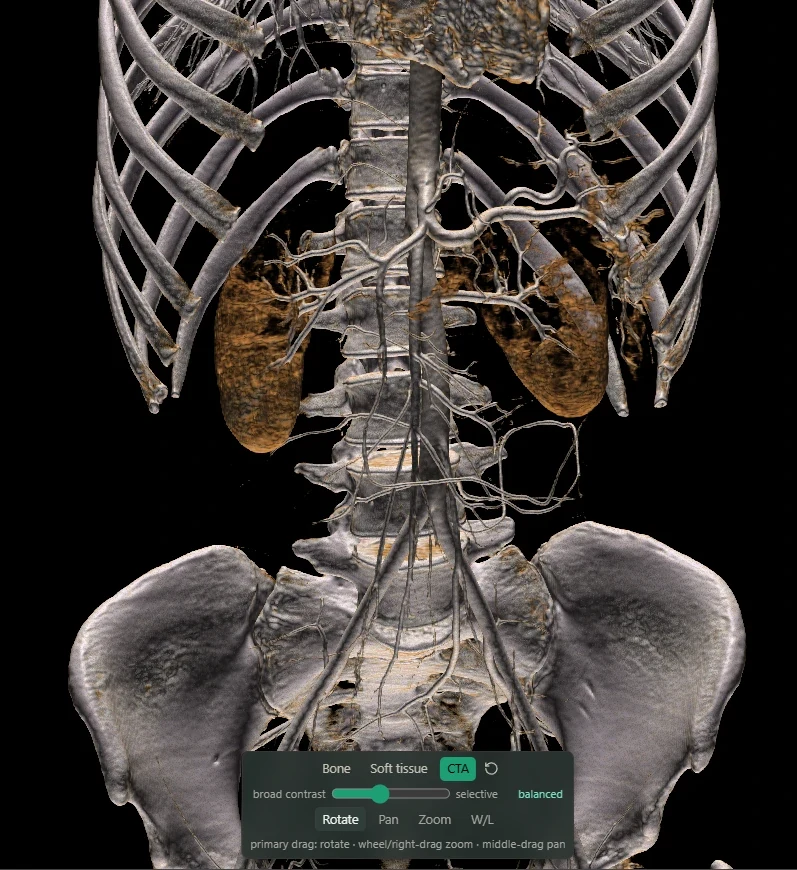
3D volume rendering
Presets for bone, soft tissue and contrast-enhanced studies. Rotate and zoom to see the anatomy from any side.
Panoramic and cross-sectional views from CBCT.
Trace the arch on an axial slice. Scroll the panorama, open a cross-section at any point along it, and measure on the section.
RadSpection for dentists →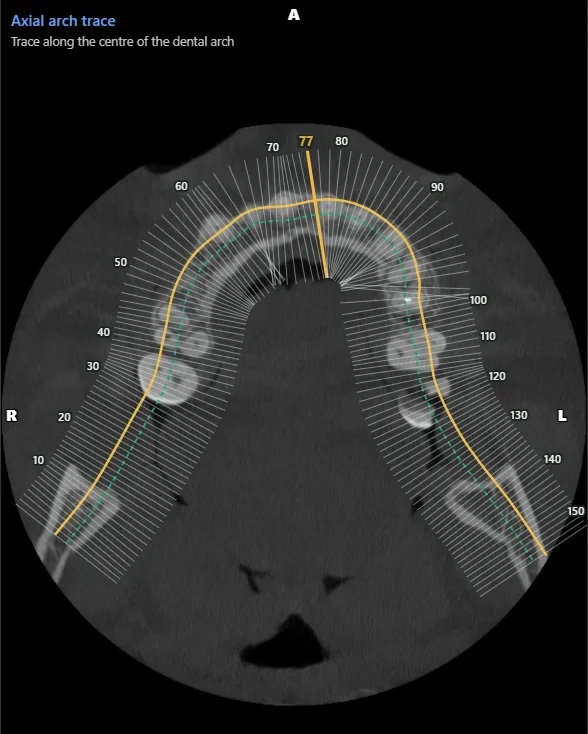
The tools you use every day
Every plan includes them, along with everything else on this page.
Window presets
Eleven CT presets, grouped by body region from head to spine.
Measurement
Length, angle, bidirectional, ellipse, rectangle, polygon, multi-segment ruler, Cobb angle and pixel values.
Calibration
Calibrate against a known length when an image needs it.
Comparison
Place a prior and a current study side by side, and tile a series to see more at once.
Spine labels
Label vertebrae on sagittal images.
Cine
Play through a series.
Reporting and sharing
Key images
Mark the images that matter so you can find them again.
Export and copy
Save or copy any view as a PNG, with or without patient details.
Hide patient identity
Hide names, IDs and dates on screen before you present or share. Text burned into the images and notes you type stay visible, so check images before you share them.
PACS
Browse and open studies from a PACS through DICOMweb.
Your studies stay on your computer.
Patient images and data never go to us. Licence requests send only what activation needs, there is no telemetry or crash reporting, and a PACS connects directly to the server you configure. Viewing works without an internet connection. Privacy policy
It tells you when a result can't be trusted.
When a reconstruction or measurement can't be relied on, RadSpection says so plainly instead of showing a plausible image.
Every feature, in every plan.
Try all of it free for 7 days. Then buy the time you need, or pay once for lifetime.
Everything included
From $5
Every plan includes every feature and every update. Try them all free for 7 days.
- ViewingScroll, window/level and presets, zoom, pan, magnify, rotate and flip
- MeasuringLength, angle, area, Cobb angle and pixel values, with calibration
- ReconstructMPR, curved MPR, thick slabs, 3D and Dental
- CompareStudies side by side, and tiling
- ReportAnnotations, key images, export and copy
- ConnectPACS through DICOMweb
- CinePlay through a series
- Spine labelsLabel vertebrae on sagittal images